Integration With Shopify
This guide will help you integrate Msegat with the ProWebSms plugin for Shopify to send SMS notifications
Step by Step Guide to Install Shopify ProWebSms Plugin
- 1 Log in to your Shopify dashboard
- 2 Navigate to Apps > App and sales channel settings
- 3 Search for 'ProWebSms'
- 4 Click 'Add app' next to ProWebSms
- 5 Click Install app to install the plugin.
Configure the ProWebSms Plugin
- 1 From your Shopify dashboard, click Apps and select ProWebSms
- 2 Navigate to Settings
- 3 In the Gateway Configuration section, select Msegat from the list
- 4 Enter your Msegat API Key, Username, and Sender ID into the respective fields
- 5 In the Additional Field, you can add extra information if needed
- 6 Click Save Changes to apply the settings.
How to get your API Key from Msegat?
- 1 Log in to your Msegat account at msegat.com
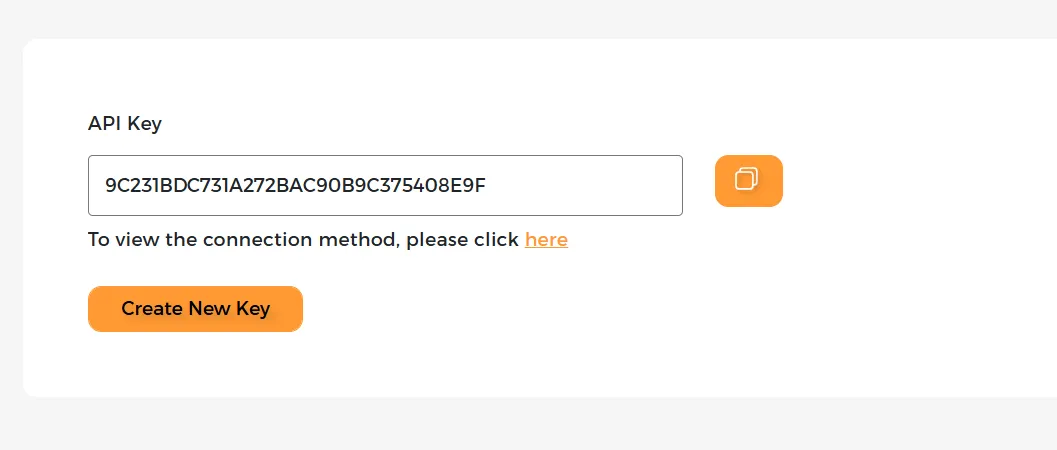
- 2 From the Side Menu Navigate to the API Key section of your Msegat dashboard
- 3 Copy the API Key
How to get your Username from Msegat?
- 1 Log in to your Msegat account at msegat.com
- 2 Click Balance
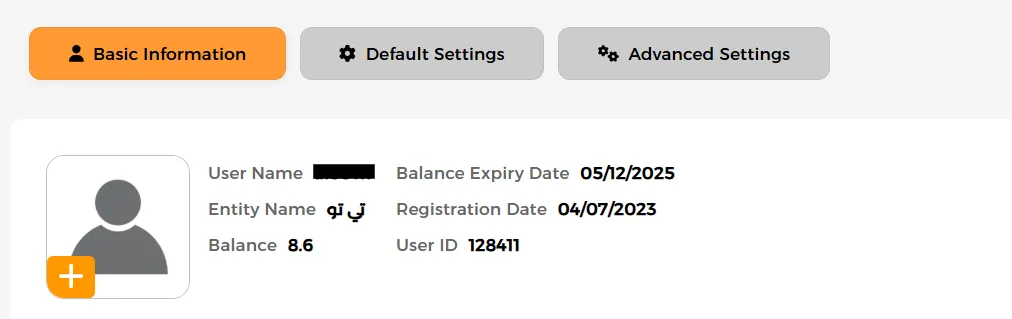
- 3 Click on Account Information

- 4 The Username will be displayed with all your account information
How to get your Sender ID from Msegat?
- 1 Log in to your Msegat account at msegat.com
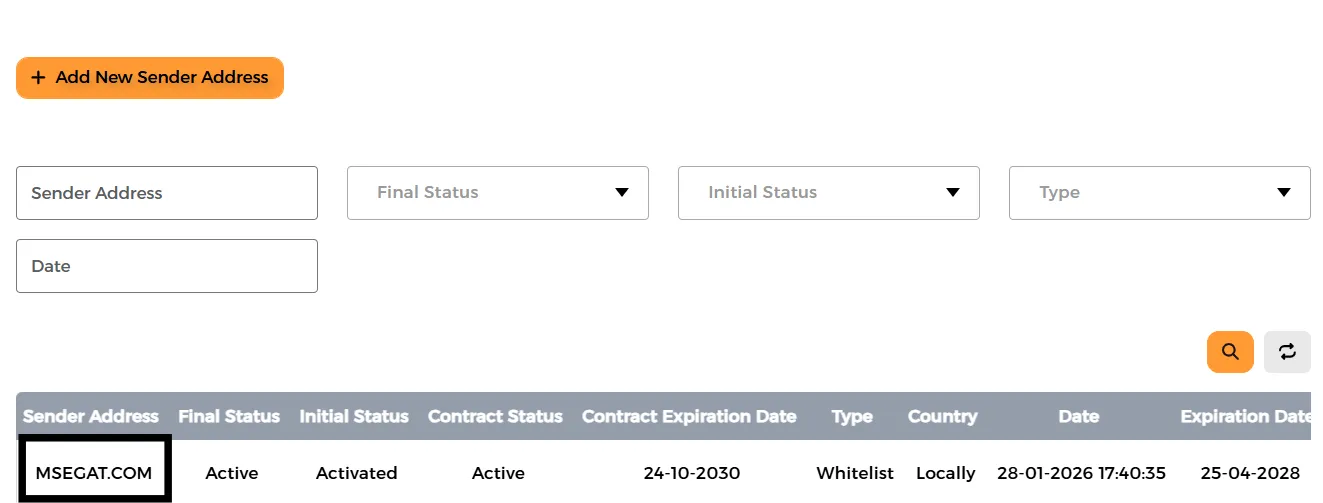
- 2 From the Side Menu Navigate to the Tag Names of your Msegat dashboard
- 3 All Sender ID Available for your Account will be Shown on this page